This post builds up on the general Vip introduction, as well as on the debugging techniques from the "Getting Started" series.
In the examples, I'll be using the family-contemporaries.l script from this post. If needed, you can download the file here.
The REPL vi function
In this post, we will explore how to make use of the REPL vi function, especially about its in-memory editing opportunities.
Generally, vi accepts four types of arguments:
- a symbol (defined with
de) will open the source file of this symbol. For example:(vi 'curry)will open the source code ofcurryin thelib.llibrary file. - a filename will open the file:
(vi "@lib.l") - a class method + class name will open the method definition. For example:
(vi 'set> '+Entity)opens the source code of theset>method in thedb.llibrary file. - a list will edit the pretty-printed representations of the symbols (their values and properties) in a temporary file.
Browsing database items
First, we start the application as usual with pil family-contemporaries.l -family~main -go +. As soon as we connect with the browser, we receive a prompt in the terminal in the family namespace.
The browser window displays a database record:
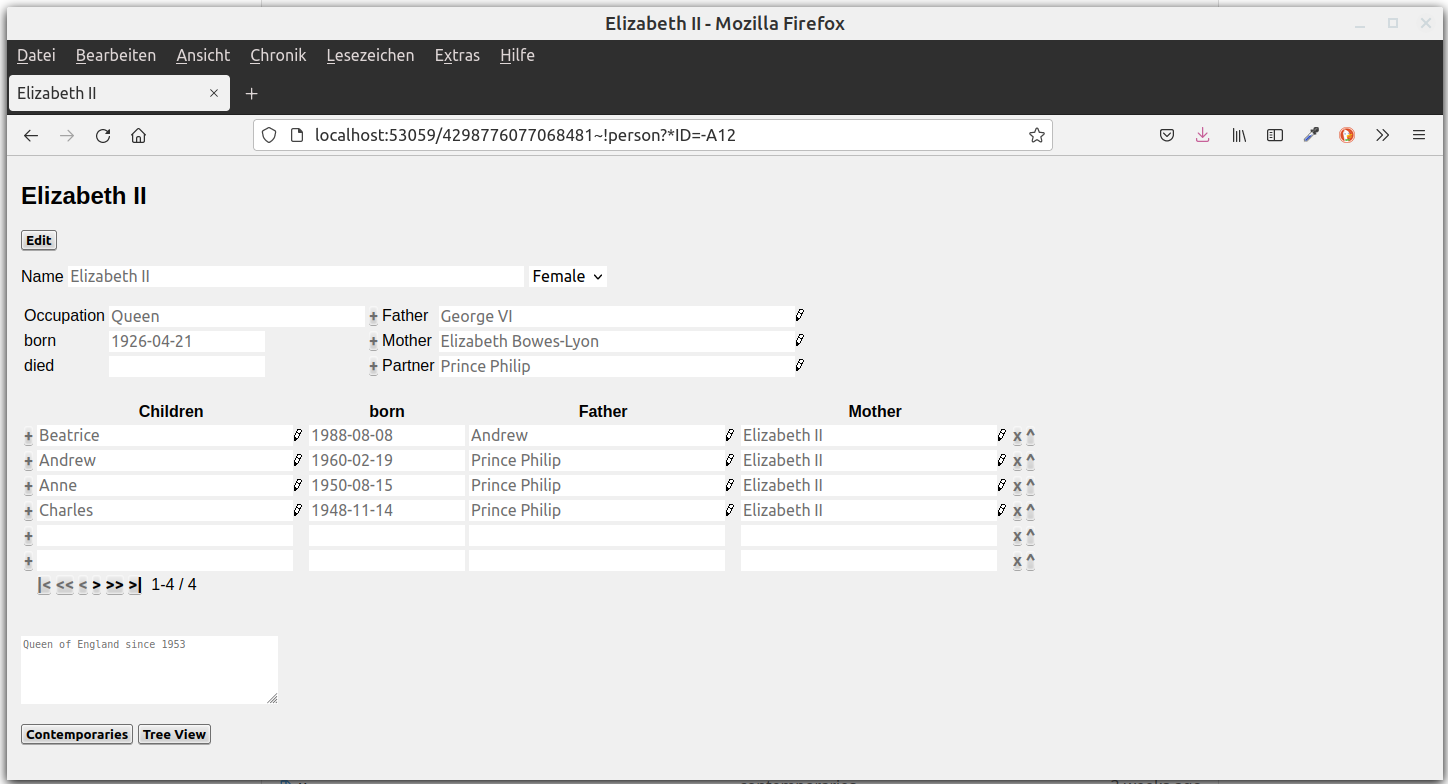
Now let's use Vip to browse this database item in the text editor. First let's check which item is currently displayed:
family: *ID
-> {A12}
We open this item in memory in Vip by calling it in a list:
: (vi '({A12}))
A shortcut for in-memory editing is the (applicationv sym1 sym2 ...) command, i. e. (v {A12}), without list parentheses.
Now we can browse the item with K (forward) and Q (backwards), for example by exploring the classes or the referenced objects:
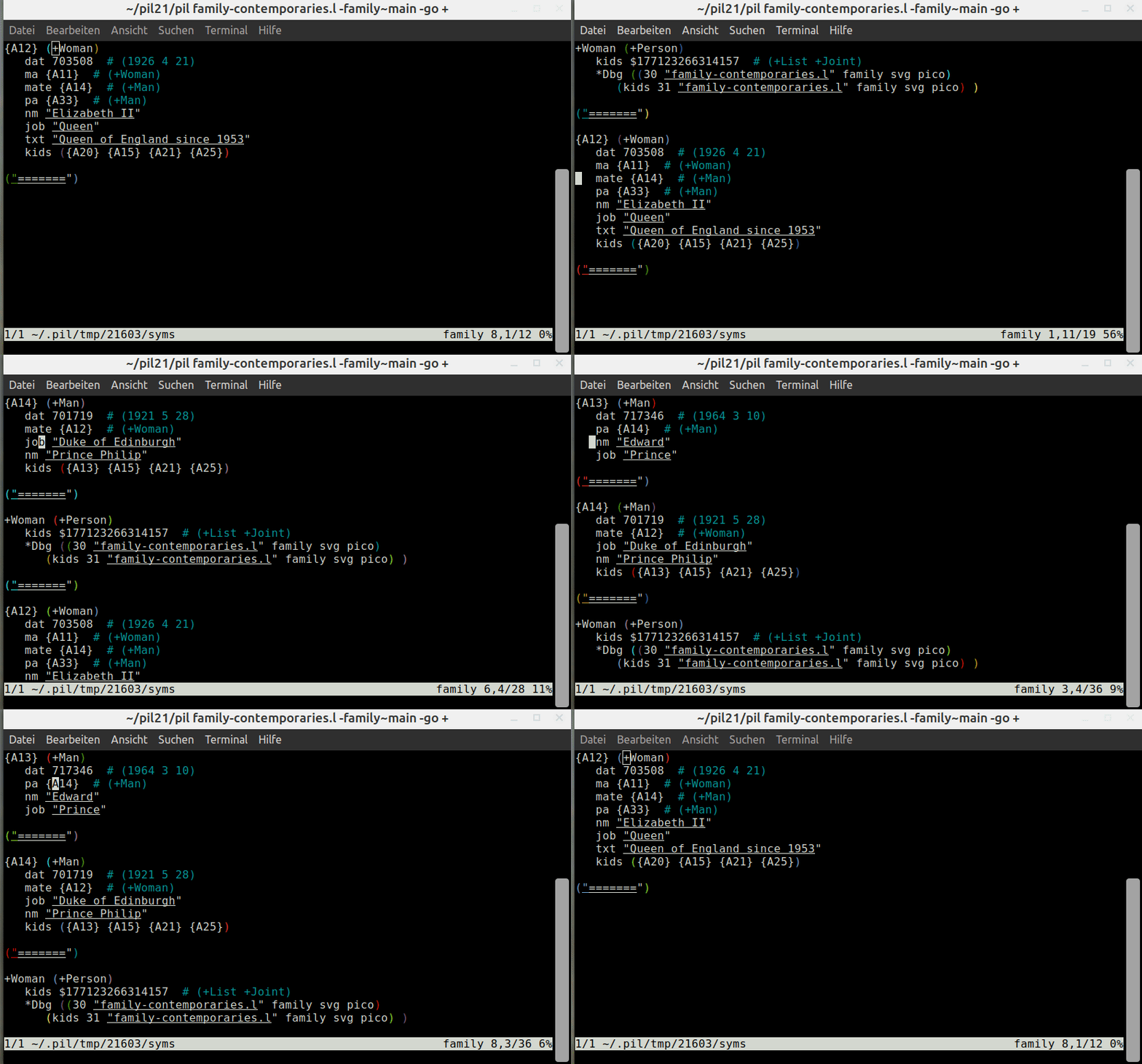
Modifying Database Items for Testing Purposes
We cannot simply browse the objects but we can also change them. Let's replace the "job: Queen" by "King". If we refresh the browser, our new value is displayed.
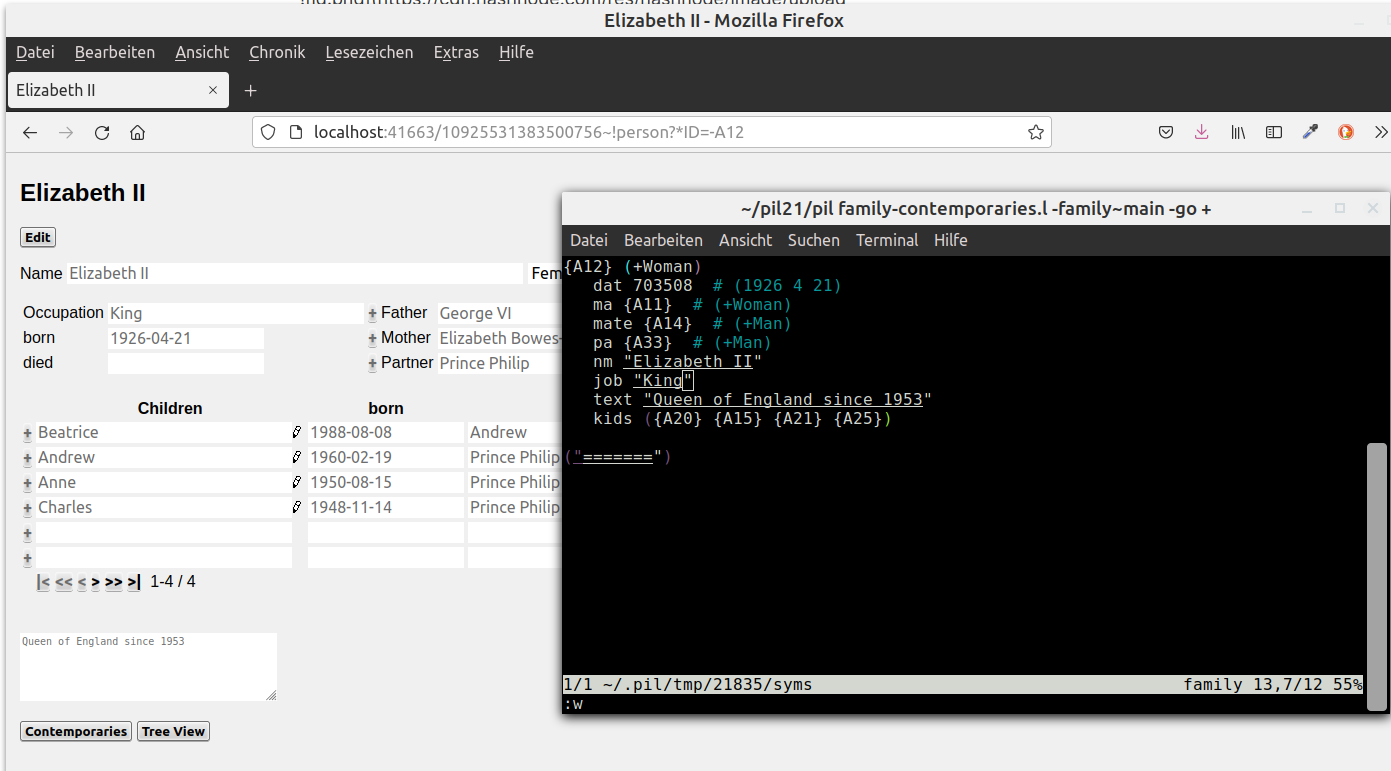
The change is persistent during our session, however, once we close it it's gone. This means that we can safely edit and test modified database objects without actually having to write them to the database.
Note: Handle with care! The relations are not automatically updated, so if you accidentially commit this (for example by clicking a GUI button), your database might be corrupted.
Adding breakpoints and msg to the main program
Of course we're not restricted to database items. Similarly we can also modify a copy of the sourcecode in-memory, for example the contemporaries function:
: (v contemporaries)
opens the contemporaries function in memory.
For example, let's add a breakpoint before the call of the html function:
contemporaries ((*ID)
   (action
      (! html
Then save and close it with :x. Next, we press the contemporaries button and the debugger opens. We can press Enter to continue, e to evaluate, d to step into a subexpression or inspect variables by typing their name.
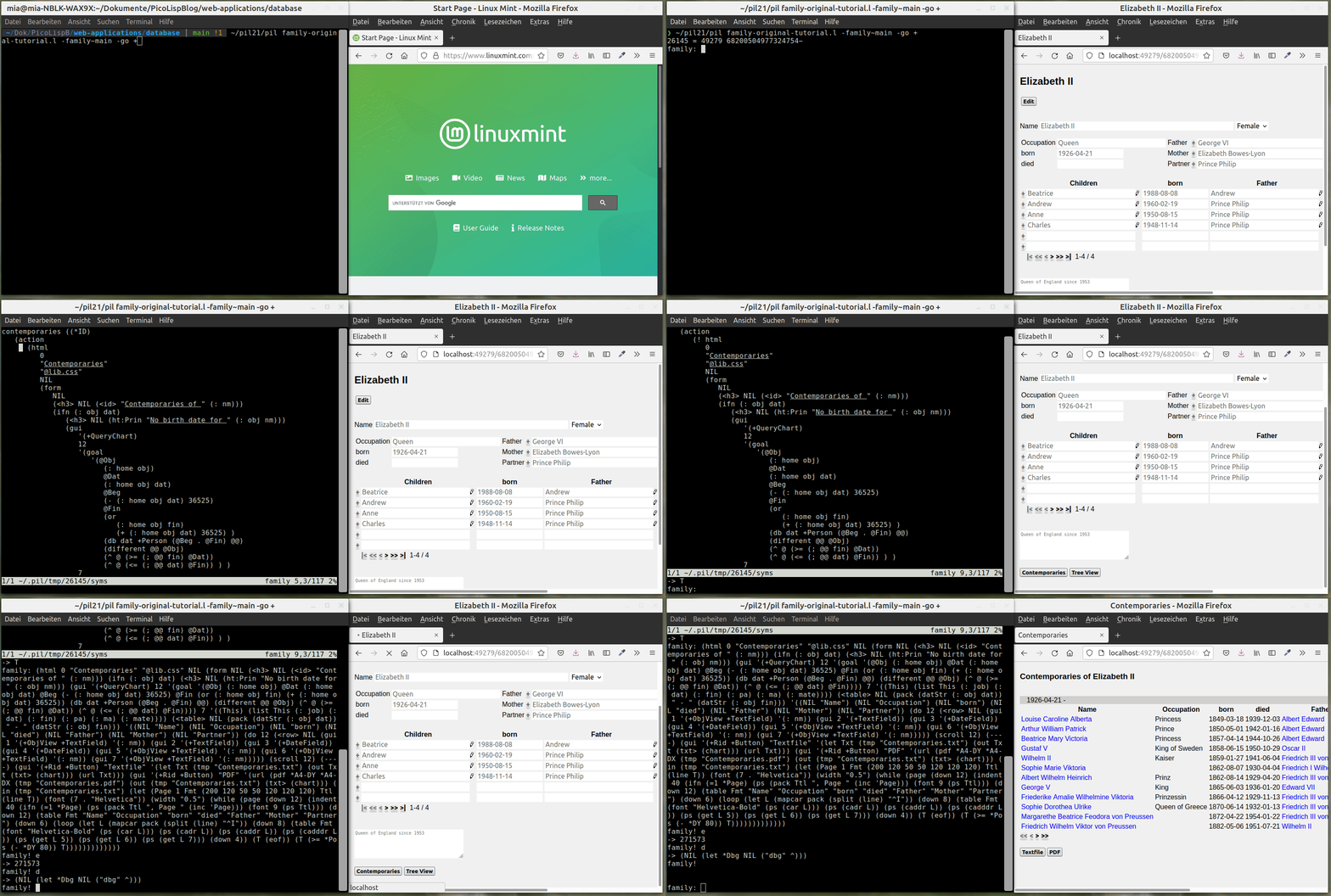
If you don't want to get into the debugging process so deeply, you can also simply print messages to the terminal with msg.
For example, let's print out the (: nm) attribute of the current object in the <h2> in the person function, by wrapping msg around it:
# before
(<h2> NIL (<id> (: nm)))

# after
(<h2> NIL (<id> (msg (: nm))))
Now every time we load the person function, we see the current object's nm attribute printed to the terminal.
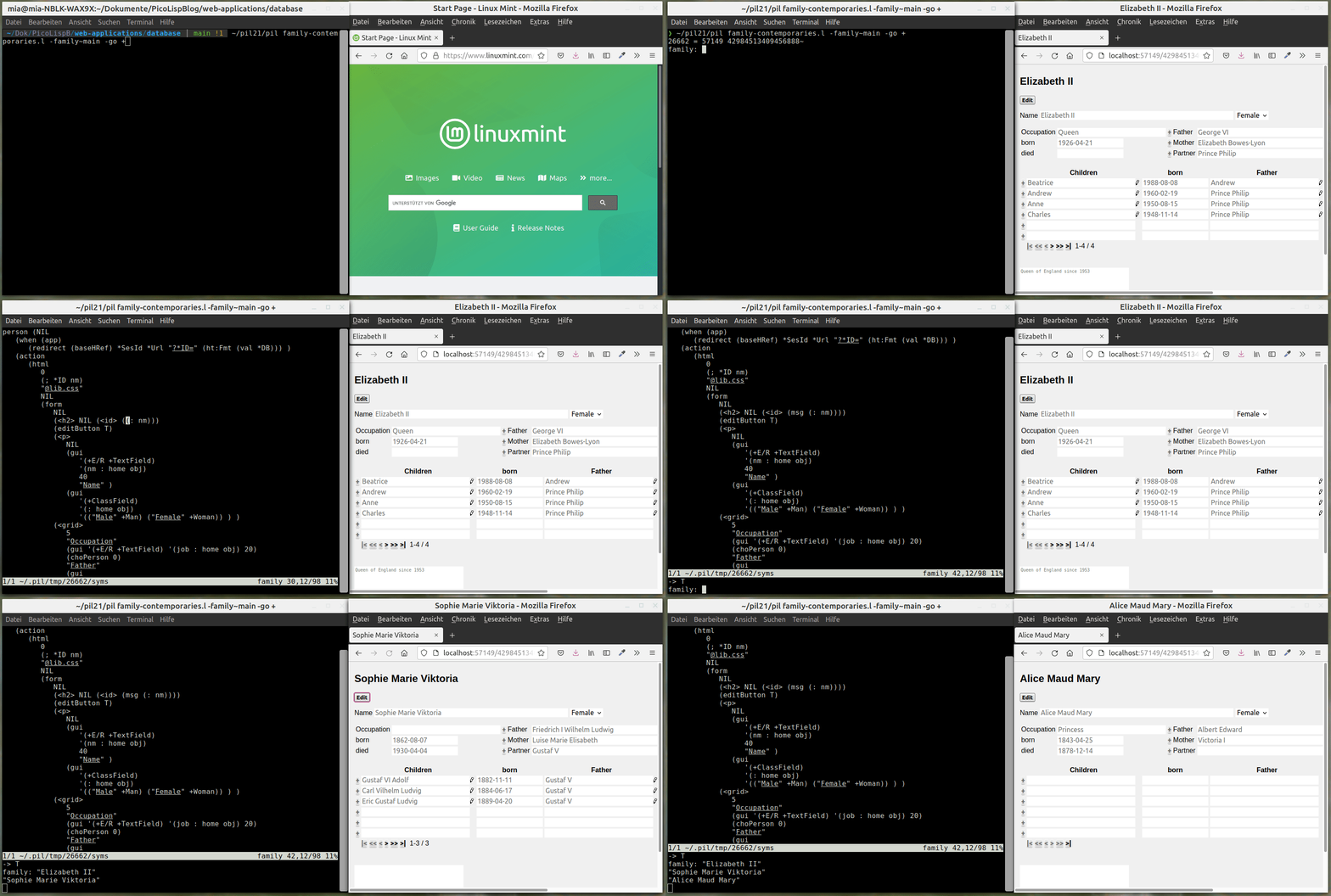
After we close the session, breakpoint, msg and all other temporary changes are gone. This is very useful for testing and debugging. Of course you should take care to edit the original source if you want to keep the changes.
This is all for Vip for the moment - it is still evolving, so there might be updates sometime in the next year!
Sources
https://picolisp.com/wiki/?vip
Photo by Cookie the Pom on Unsplash
Comments
Join the discussionNo comments yet. Be the first to comment.
PicoLisp Explored
In this series, some more advanced features of PicoLisp will be explained that have not been covered in the beginner's tutorial.