# Introduction to Vip - An Editor For PicoLisp Development
pil21 comes with a built-in PicoLisp editor: The "Vip" editor which is based on vim (we already introduced it quickly in the ["Read the Docs"-post](https://picolisp-blog.hashnode.dev/levelling-up-1-read-the-docs)). The "p" stands for "picoLisp" or "personalized". This post introduces the set-up and most important commands of Vip.
It's largely a walk-through of this [article](https://picolisp.com/wiki/?vip) from which I picked the points that seemed to me most relevant for newcomers.
--------------------
### About vim
Vip incorporates many vim features, like cursor movement, editing, cut and paste and so on.
- If you're totally new to vim, this tutorial could be a start. I think it's kind of cute: https://www.openvim.com/
- Besides the tutorial, there is also a sandbox which gives you some action proposals based on the context: https://www.openvim.com/sandbox.html
- If you already know some vim and are looking for a nice cheat sheet, I recommend that one: https://vim.rtorr.com/
---------------
### Why Vip and not vim?
There are some limitations to editing PicoLisp with vim, unless you spend a lot of time and effort to configure it - for example keeping track of the closing parentheses. You can find the corresponding parentheses with ``%``, but by default it also shows the ones that are commented out, and doesn't recognize the super-bracket ``]``.
Some more features: auto-indentation, handling of PicoLisp namespaces, highlighting of strings, TAB-completion of internal symbols and path-names, encryption/decryption and more.
Of course Vip is written in PicoLisp. You can view the sourcecode in ``lib/vip.l`` of your PicoLisp installation.
----------------
### Prerequisites
To run Vip on your machine, the following conditions must be satisfied:
- a current [pil21](https://picolisp-blog.hashnode.dev/how-to-install-picolisp) installation,
- the system locale must be UTF-8,
- the terminal must be VT-100 compatible (XTerm, Termux, Tmux, Linux console etc.)
------------------
### Set-up to access from the shell
``vip`` is available as executable command in the **root folder** of your ``pil21`` installation (not the one in the ``lib`` folder!). The easiest way to start it from the shell is setting an alias in your ``.bashrc`` or ``.zshrc`` or whatever terminal you're using. Just add this line:
```
alias vip="~/pil21/vip"
```
Now you should be able to open any file with
```
$ vip file.l
```
If you open more than one file, you can navigate through them with ``+n``/``+N`` or ``F6``/``F5``.
---------------------
### Mini-REPL
If you press ``:`` in editing mode, the focus will move to the command window at the bottom. For example typing ``:q`` exits vim (and Vip).
If you press ``: `` (colon plus space), it works as a REPL:
```
: (* 3 4)
-> 12
```
The command window height is only one line per default. In order to expand it, press ``-`` (minus).
--------------------
### Starting from the REPL
As already shown [previously](https://picolisp-blog.hashnode.dev/levelling-up-1-read-the-docs), ``vip`` is also available from the REPL. In this case, the command is ``vi`` (not ``vip``):
```
: (vi "file.l")
-> "file.l"
```
Besides opening files, you can check the source code of PicoLisp functions or method definitions:
```
: (vi 'curry)
: (vi 'car)
: (vi 'put!> '+Entity)
```
After that you can browse the sourcecode files. ``K`` let's you jump to the definition of the symbol where the cursor is at, ``Q`` takes you back. *(Like explained in the ["Read the Docs"-post](https://picolisp-blog.hashnode.dev/levelling-up-1-read-the-docs)).*
--------------------
### Evaluating code
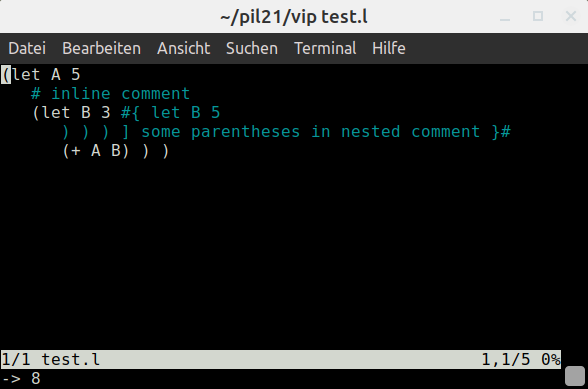
You can also evalute code: Let's define a file ``test.l`` with following content:
```
(let A 5
(+ A 3) )
```
Now we open this file from the REPL:
```
$ pil +
: (vi "test.l")
```
If we move the mouse now to the first line and press ``Ctrl-E``, the result is evaluated at the bottom of the file:
```
-> 8
```
-----------------
### Auto-Indentation
One of the best features is the auto-indentation with ``,`` (comma). Here you can see it in action:
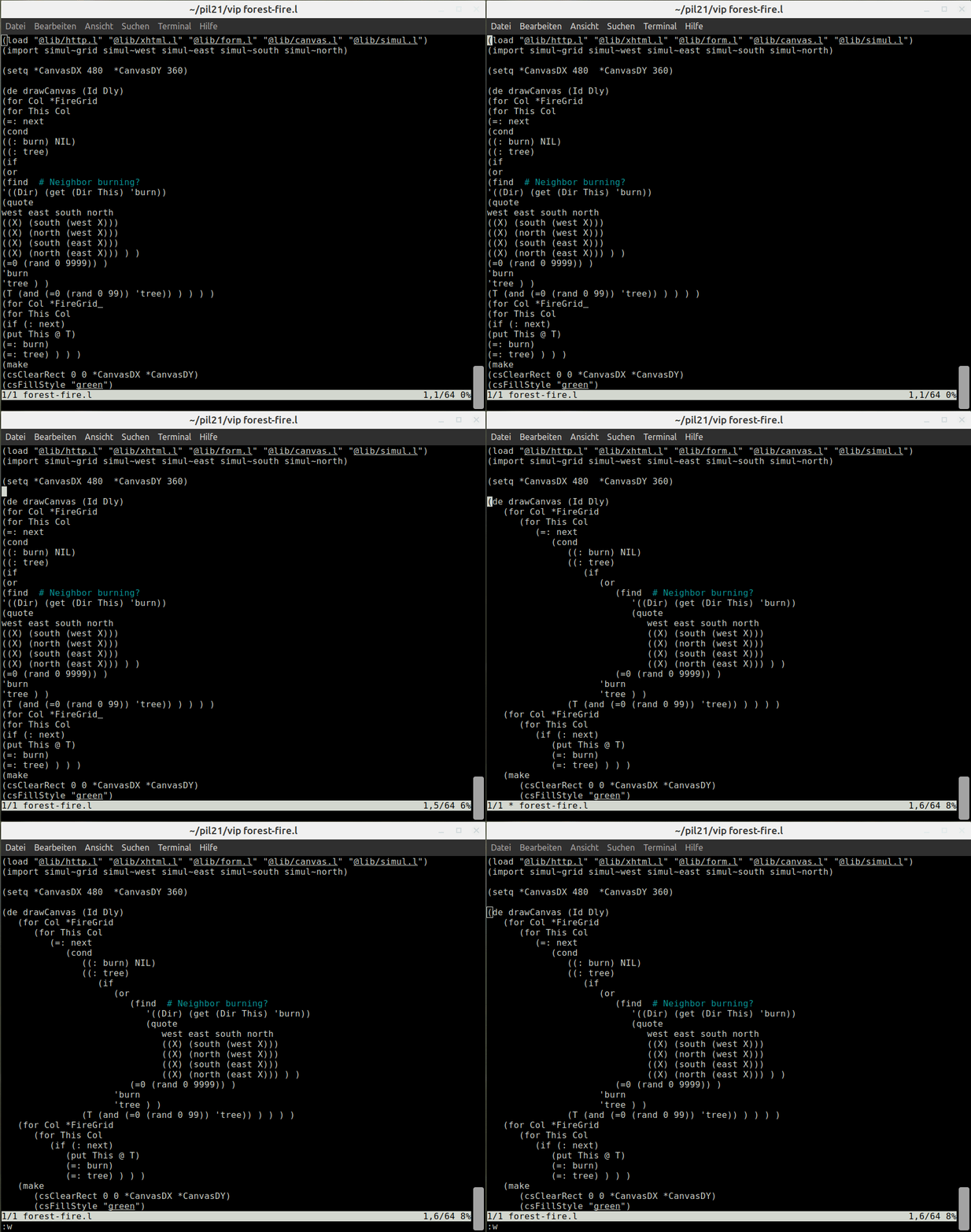
It indents the function starting from the current cursor line up to the next empty line.
---------------
### Brackets matching
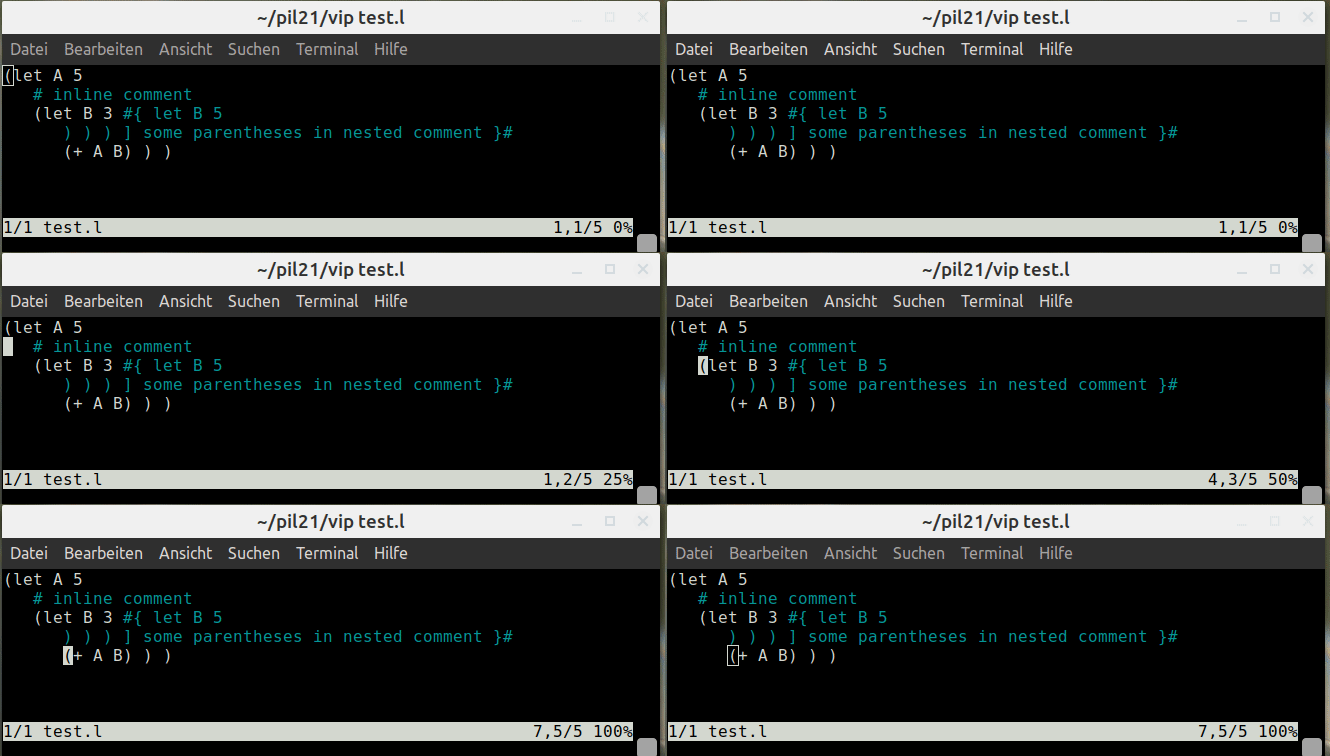
You can match the brackets with ``%``. Lines that are commented out are ignored.
-----------------
### Viewing directory contents
If you pass a directory instead of a file, you get a list of all files within this directory. With ``gf``, you can then open the file in the current line. ``Q`` takes you back to the overview.
-----------------------
### Searching for keywords in directories (REPL-function)
With ``vf``, you can search files for a specific word pattern recursively in a directory and its subdirectories, even if they are not loaded to the current REPL. It takes a pattern and opens all found files in the buffer. Arguments:
1. Search pattern
2. Directory (optional - otherwise the current directory is used)
3. File extension - optional
Examples:
Find all uses of ``curry`` in the current directory:
```
: (vf 'curry)
```
Find all uses of ``map`` in the pil21 library folder and its sub-directories:
```
: (vf 'map '/path-to-pil21/lib)
```
Find all .txt-files with the word "password" in the current directory and its sub-directories:
```
: (vf 'password '/path-to-current-directory ".txt")
```
*Note: This function only works from the REPL (not from the "Mini-REPL" invoked from Vip).*
---------------------
### The ``viprc``
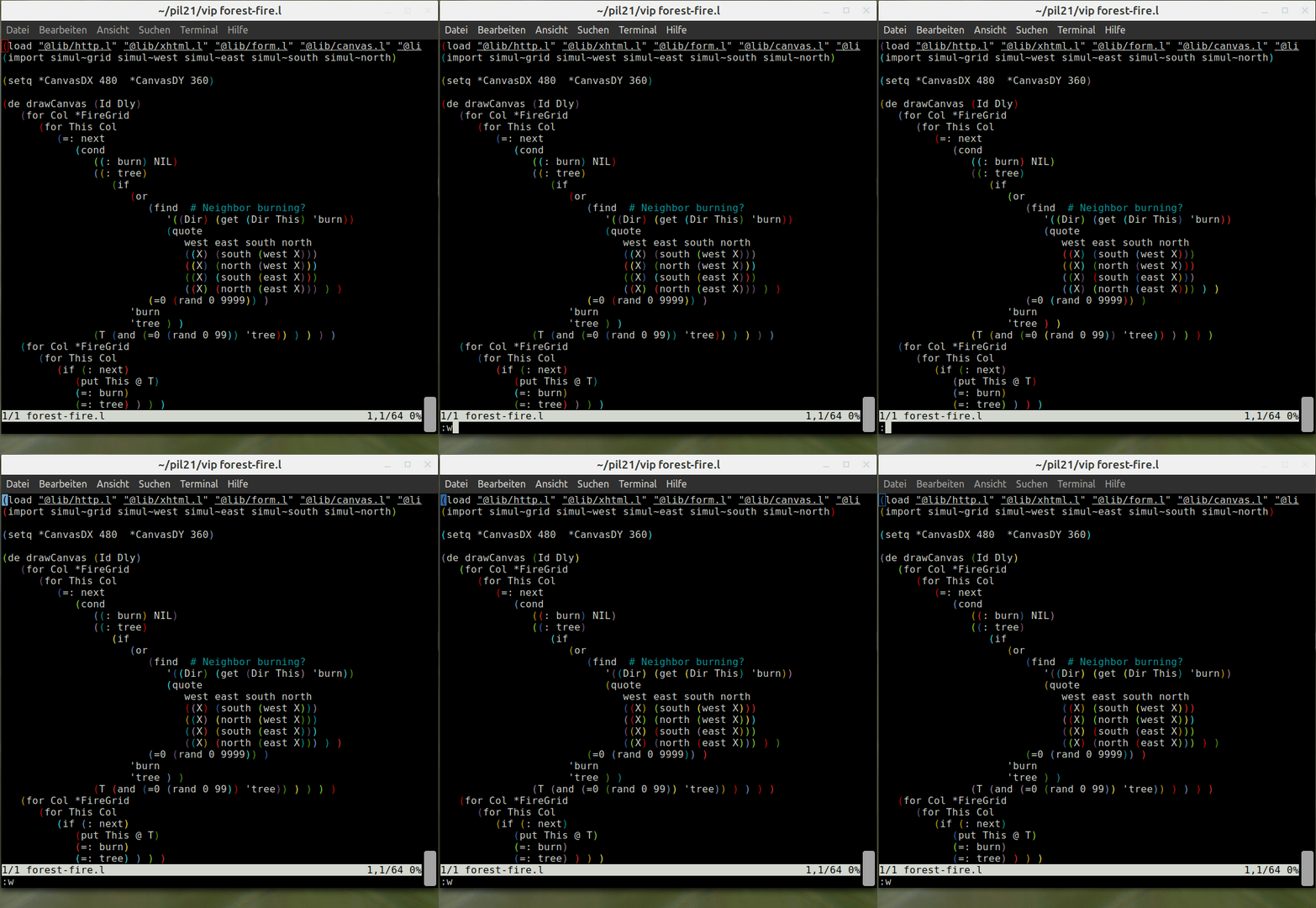
You can customize your Vip installation by adding commands in ``~/.pil/viprc`` (add it if it doesn't exit yet). For example you can customize ``F7`` to ``F12``, or you can color your brackets in rainbow colors like [this user](https://gist.github.com/erdg/9b9499dc53e8dbbf1ef0a7a574318d02) did:
---------------
In the next two posts, we will check out two further functions of Vip: How to use it to draw simple flow charts and PicoLisp cell diagrams, and some proposals how it can support you in developing and debugging.
---------------
# Sources
https://picolisp.com/wiki/?vip
Photo by Cookie the Pom on Unsplash